Understanding network devices - the way internet serves
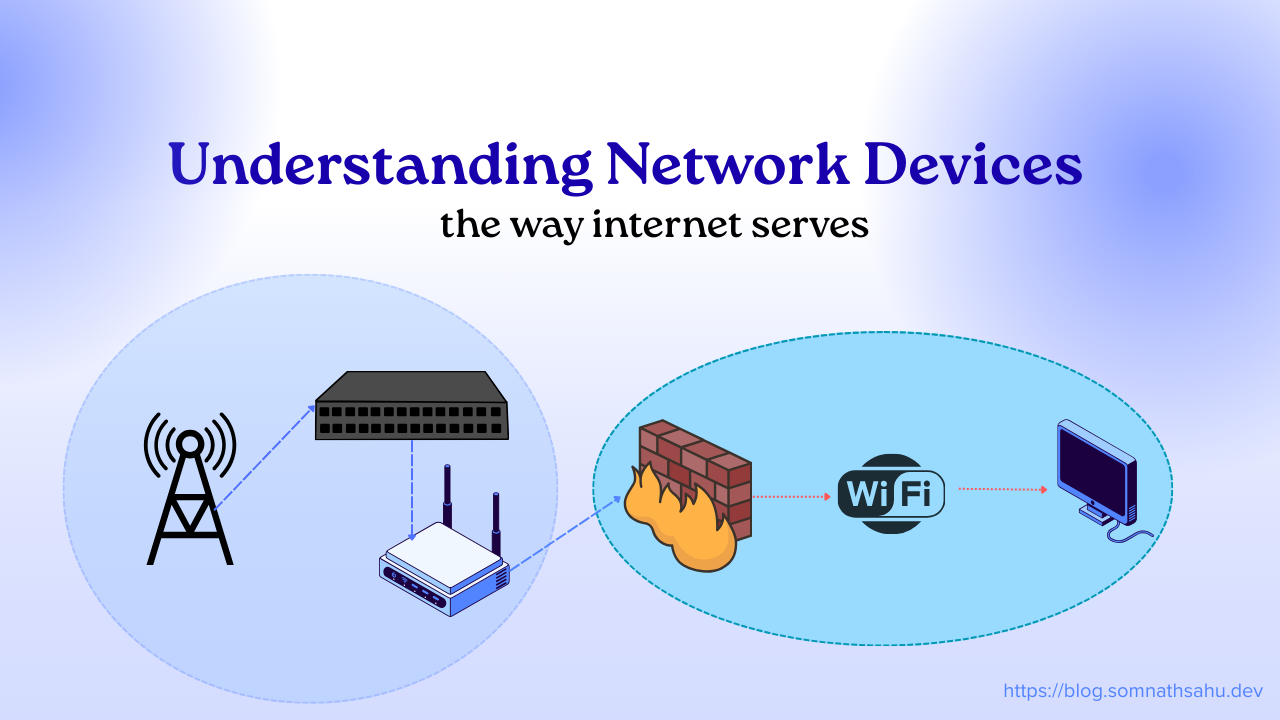
Internet is very common term in now a days and how internet works that’s more fascinating. Internet is travelling through network devices whether it is a wireless or wired connection. Network devices are the core part of an internet. Lets dive into that network devices and how many are their and how it works.
Network devices are physical devices required for communication between multiple computer on a computer network. Depending upon individual’s functionality those devices are used for generating signals, forwarding, packet transferring, firewall, protocol conversion and access control to ensure secure and reliable connection.
Significance of network devices:
Network devices are taking key role to transmitting / receiving internet. There are following significance for the network devices.
Facilitates data communication and transmission between devices.
Enables secure and efficient packet transaction.
Reduce traffic congestion and managing the traffic.
Routes the traffic to make more fast and efficient.
Provides security by providing access controlling and unauthorized access.
Extend network coverage and solve signal limitations.

Layer 1: Physical device
This is core layer for any network devices, these devices are raw physical devices deals with electrical/optical signals in bit. It does not understand about MAC address or IP Address more over it deals with electrical signals.
1. Hub
Function: Hub is known for central connection point for devices in a LAN. It is an essential multiport device that connects multiple Ethernet devices into a single broadcast network segment, which makes them a central connection point during traffic congestion.
How it Works: It takes an incoming signal on one port and blindly broadcasts it to all other ports. It does not know who the recipient is.
Drawback: High network traffic collisions and security risks (everyone sees everyone's data).
Status: Currently this is Obsolete. Replaced by Switches.
2. Repeater
Function: A repeater operating at the OSI model’s physical layer (Layer 1) is a powered device that extends the signal to keep traveling further. It regenerates signals to extend the range of a network.
How it Works: It receives a weak signal (due to attenuation over long cables), amplifies it, and retransmits it.
Use Case: Extending WiFi range or Ethernet cables beyond 100 meters.
3. Modem (Modulator-Demodulator)
Function: Connects home network to the ISP (Internet Service Provider).
How it Works: Converts all the analog signals to digital signals (known as Demodulation) and digital signals to analog signals which transmits further to cable/ telephone wire lines (known as a Modulation).
Layer 2: Data link layer
This data link layer mostly involves to transmit the data and it holds own MAC address. More over in the layer defines the location of the receiver and sender’s data.
4. Switch
Function: Connects devices in a LAN (Local Area Network) with MAC address.
How it Works: It learns the MAC address of every connected device. It transmits data only to the specific port where the target device is connected. It reduces the network congestion and improves speed and security. It has two types of switch:
Unmanaged: plug and play (suitable for home/small office)
Managed: configurable for enterprise or large office use (configured VLANs, Qos)
5. Bridge
Function: Connects two separate LAN segments of a switch and make them appear as one.
How it Works: Filters traffic based on MAC addresses to keep local traffic local, reducing congestion. Largely replaced by Switches (which are essentially multi-port bridges).
6. Access Point (AP)
Function: Access point required to create a Wireless Local Area Network (WLAN).
How it Works: It acts as a bridge between wired Ethernet and wireless WiFi devices.
Difference from Router: An Access point can only provides WiFi signal; it does not route traffic or any assign IP addresses (unless it is a "Wireless Router" combo unit).
Layer 3: Network layer
In this layer multiple network inter connected and communicated. It manages and distributed by an IP address.
7. Router
Function: Connects multiple networks (e.g., Home LAN to the Internet WAN). It stop broad cast traffic and make them isolate from each other.
How it Works: It uses IP Addresses to determine the best path for data packets to travel. It maintains a Routing Table to make these decisions.
8. Brouter (Bridging Router)
Function: A hybrid device that acts as both a Bridge and a Router.
How it Works: It can route known protocols (like TCP/IP) and bridge unknown protocols (like non-routable legacy traffic) at the same time. Rarely used today.
Layer 4: Advance processing layer
In this layer mostly security underlying. Packets are communicating and filtered in this layer to prevent unauthorized access and make more secure.
9. Gateway
Function: Acts as a translator between two dissimilar networks. It works to translate private LAN request into a public internet requests.
How it Works: It can convert protocols, data formats, or architectures (e.g., connecting a TCP/IP network to a legacy Mainframe network).
10. Firewall
Function: Security guard. Controls incoming and outgoing traffic based on security rules.
How it works: It acts as a security guard and controls all the incoming and outgoing traffic to prevent unauthorized access. It comes with hardware and software both. In hardware it installed on the network edge and in software it is installed on a particular server. It filters data packet by looking at headers (IP/Port) and tracks all active connections.